Lumex
Lumex Wallet is a mobile crypto wallet for people who want to see their assets, send, receive, buy and swap tokens without extra steps. The goal of the project was to make a wallet that doesn’t scare beginners and doesn’t annoy experienced users: as few screens as possible, clear labels and no surprises with fees. The project is currently at the design stage: development has not started and no decision on it has been made yet.
What was done?
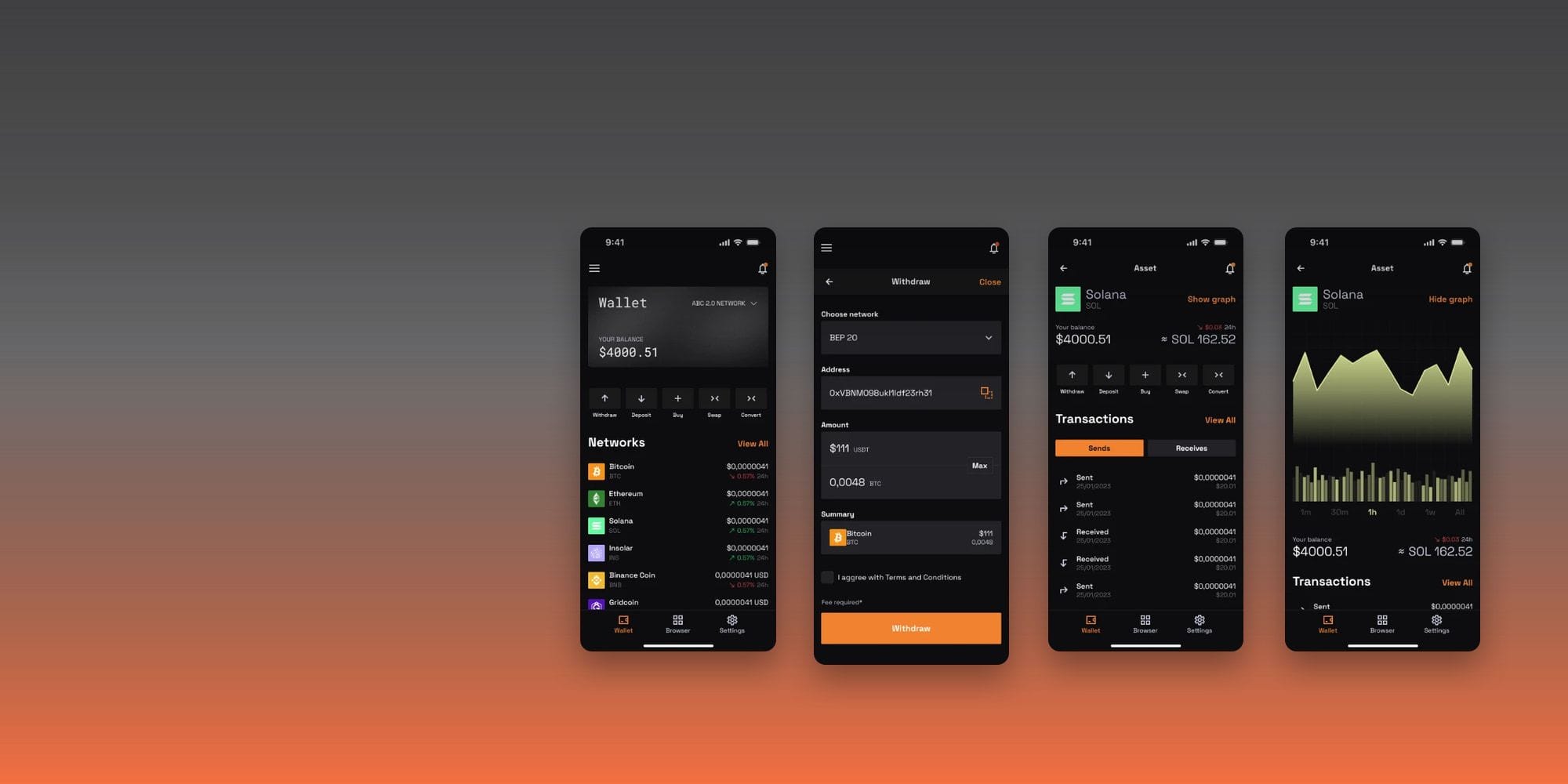
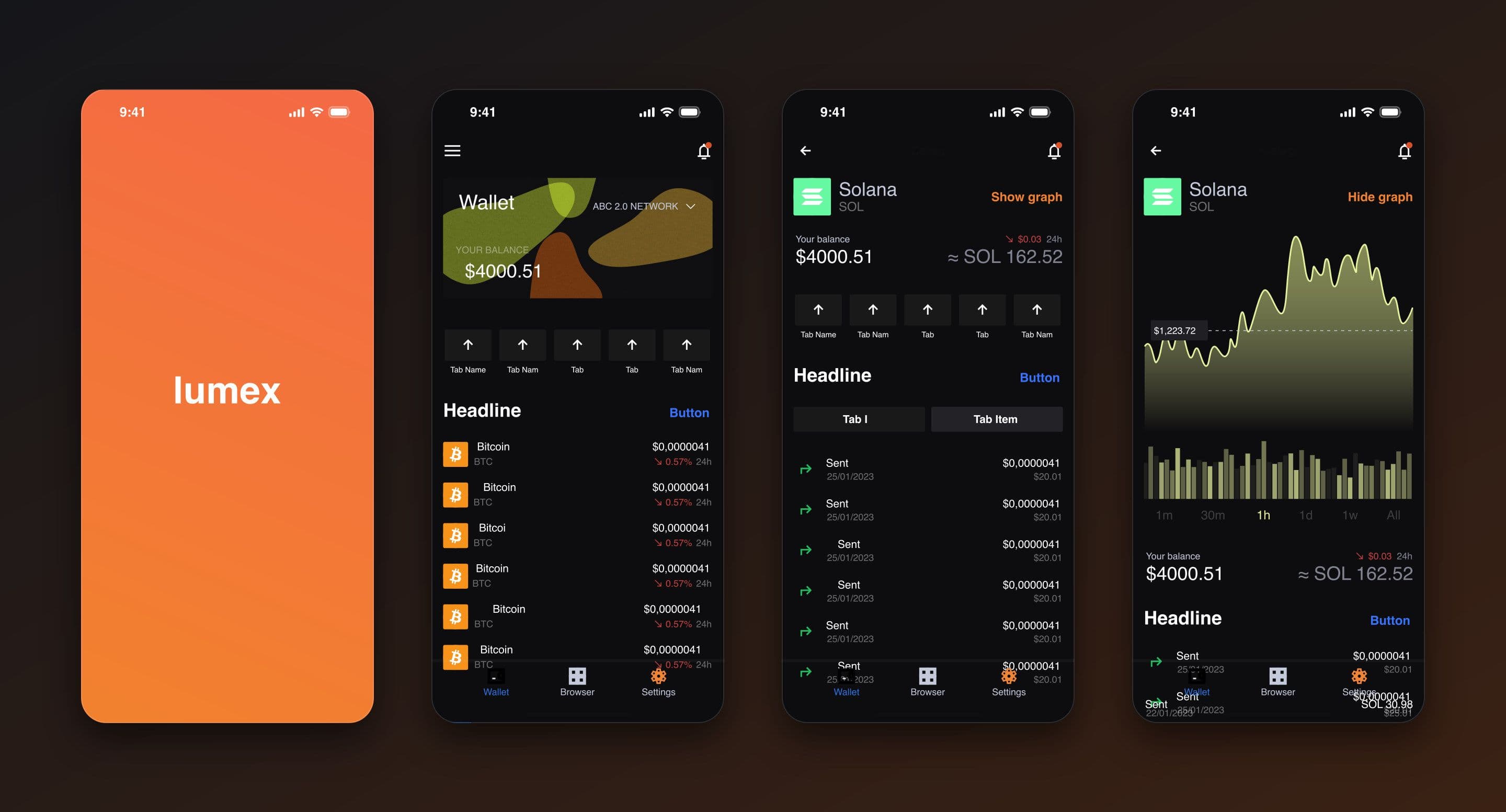
We started with the main question a wallet user has: how much do I have and where is it. That is why the home screen shows the balance in large numbers, quick actions under it and a list of assets with the price and the 24-hour change. A network switch at the top lets you move between networks without going deeper. The bottom menu has only three sections: wallet, browser and settings.
The asset page shows the balance in tokens and in dollars, a chart with periods from one minute to “All” and the transaction history. The chart can be hidden if you only need the list.
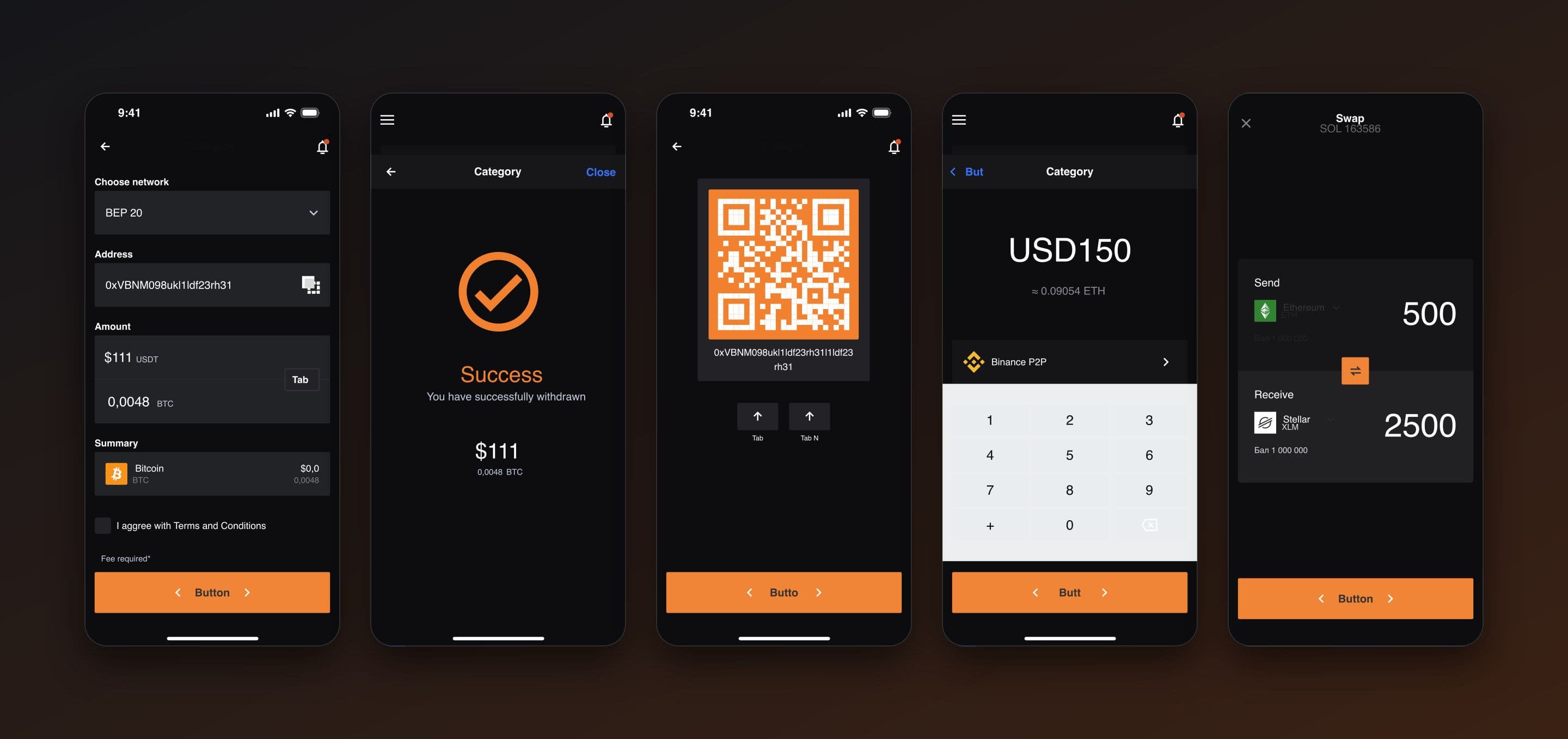
Every operation goes through its own short flow with a shared skeleton: choose the network and token, enter an address or amount, review the summary and confirm. Withdrawal asks for the network, address and amount with automatic conversion, shows the fee and requires agreement to the terms. Deposit gives a QR code and an address with “copy” and “share” buttons. Buying works like a calculator with a numeric keypad and a payment method, and swapping shows how much you send, how much you receive and at what rate.
Every flow ends with a clear result: “Success” with the amount or “Error” with an explanation of what to do next. Someone who has just sent money shouldn’t have to guess whether it went through.
The design is dark with an orange accent. Orange is used only for the main buttons and charts, so the eyes don’t tire and the important action is always noticeable. A dedicated set of cryptocurrency icons and components keeps all screens in one language.
Technologies
- Figma
- Design system and UI kit
- Cryptocurrency icon library
- Prototyping
What we built
- Balance and a list of assets by network with a network switch
- Asset page with a chart by period and transaction history
- Withdrawal: network, address, amount with conversion, fee
- Deposit with a QR code and an address
- Token purchase with a numeric keypad
- Token swap with the rate shown
- Success and error screens for every operation
- Notifications and bottom menu: wallet, browser, settings
- Dark theme with a single icon library
What the client got
The client received a complete set of mobile wallet screens: from launch and home to withdrawing, depositing, buying and swapping tokens. The project is at the design stage and further decisions have not been made yet.