HTML Cleaner
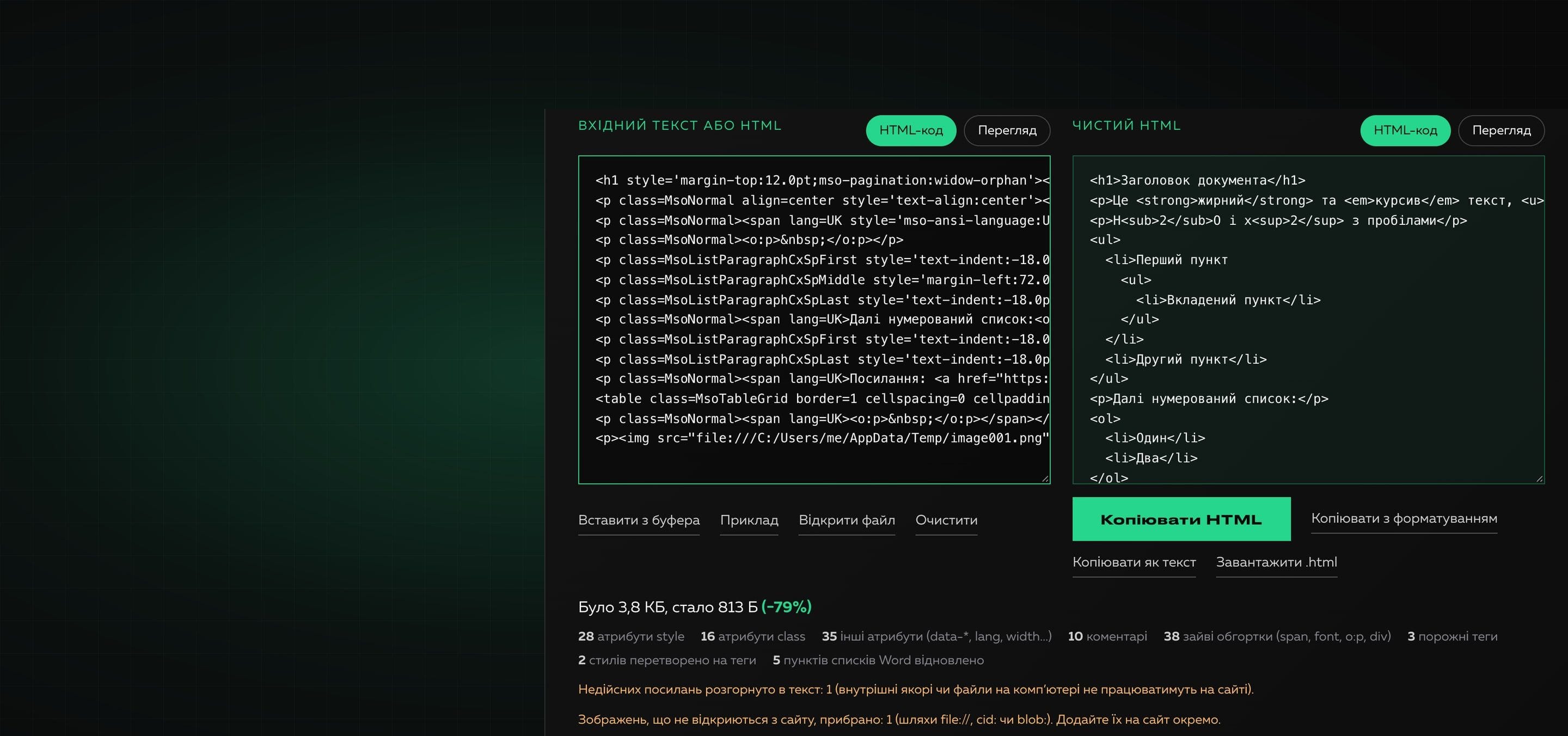
HTML Cleaner is a Creomatix product: an online tool that turns copied text or dirty HTML into clean markup without losing headings, lists, tables, links, bold or italic. All processing runs in the browser, so the text is sent nowhere. You can try it on the “HTML Cleaner” page, and we explain where the extra markup comes from in the blog.
What was done?
The base was a prototype with a two-pane editor, and the first check showed the main thing: cleaning did not work in it. A server cleaning function existed, but the interface never called it and there was no “Clean” button. The editor only displayed the HTML of whatever was pasted into it, so the main task (removing junk from Word and Google Docs) was not solved. A code review found more: regular expressions that broke attributes (cutting “on…” in the middle of words such as data-condition) and erased href, src and alt in the “remove attributes” mode; deleting tables together with their content; every keystroke rewrote the editor content and threw the cursor away; the font size buttons passed values the browser does not accept; the history grew without bound and had no buttons; code highlighting did not work because nobody wired the library in; the find-and-replace component was used nowhere. The most serious: content from the HTML code field was injected into the page as is, so pasted code with an event handler executed.
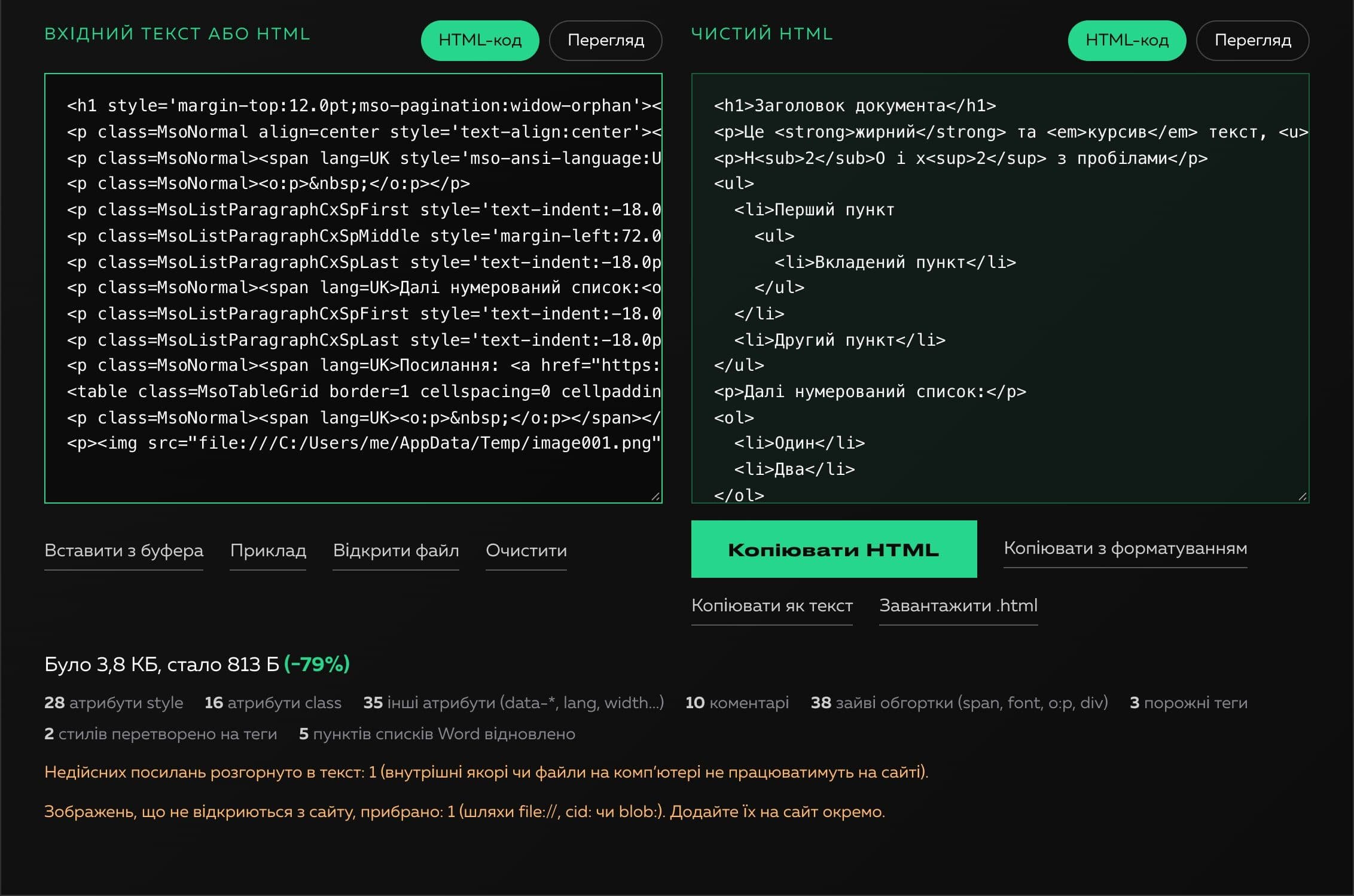
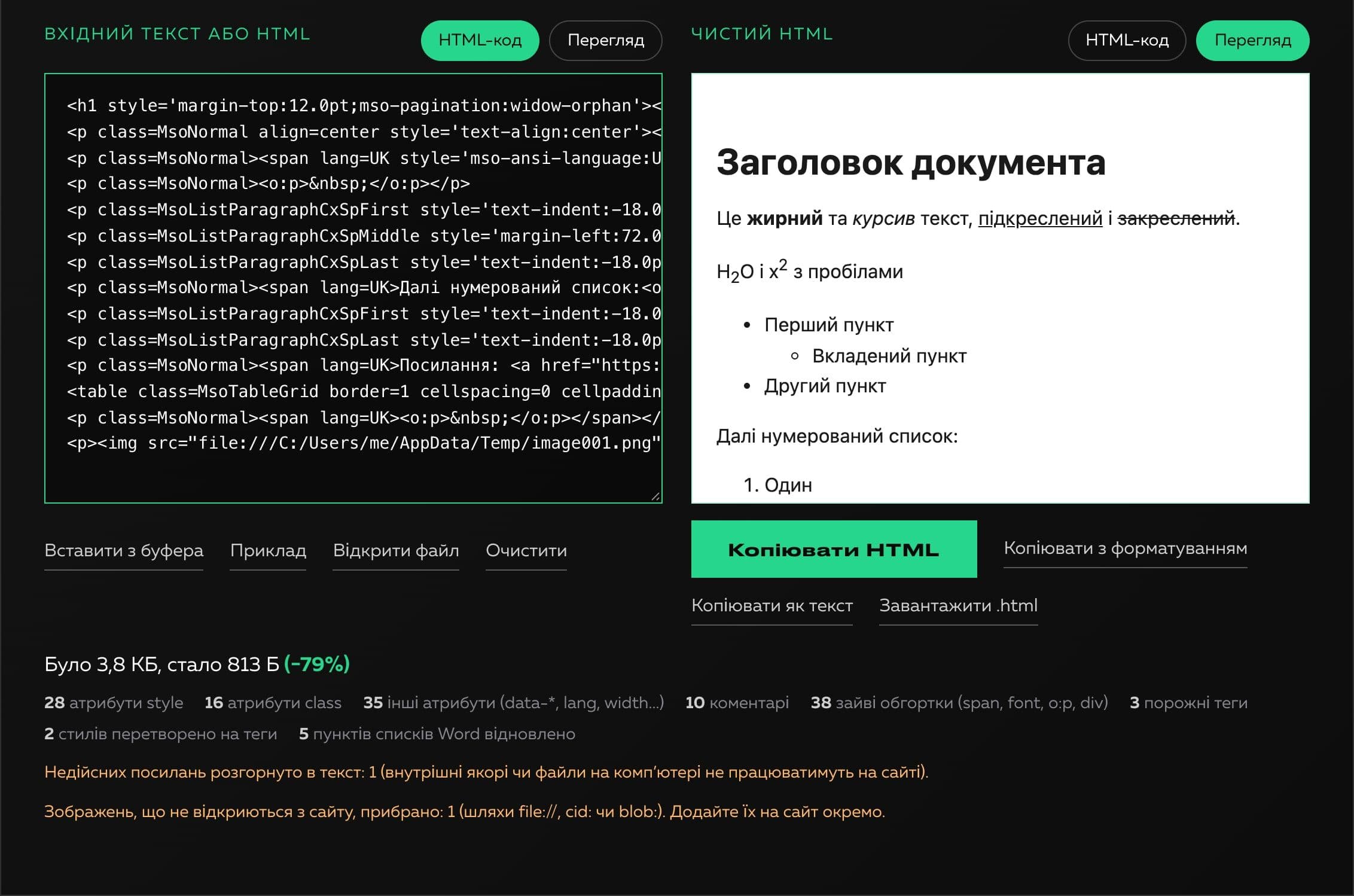
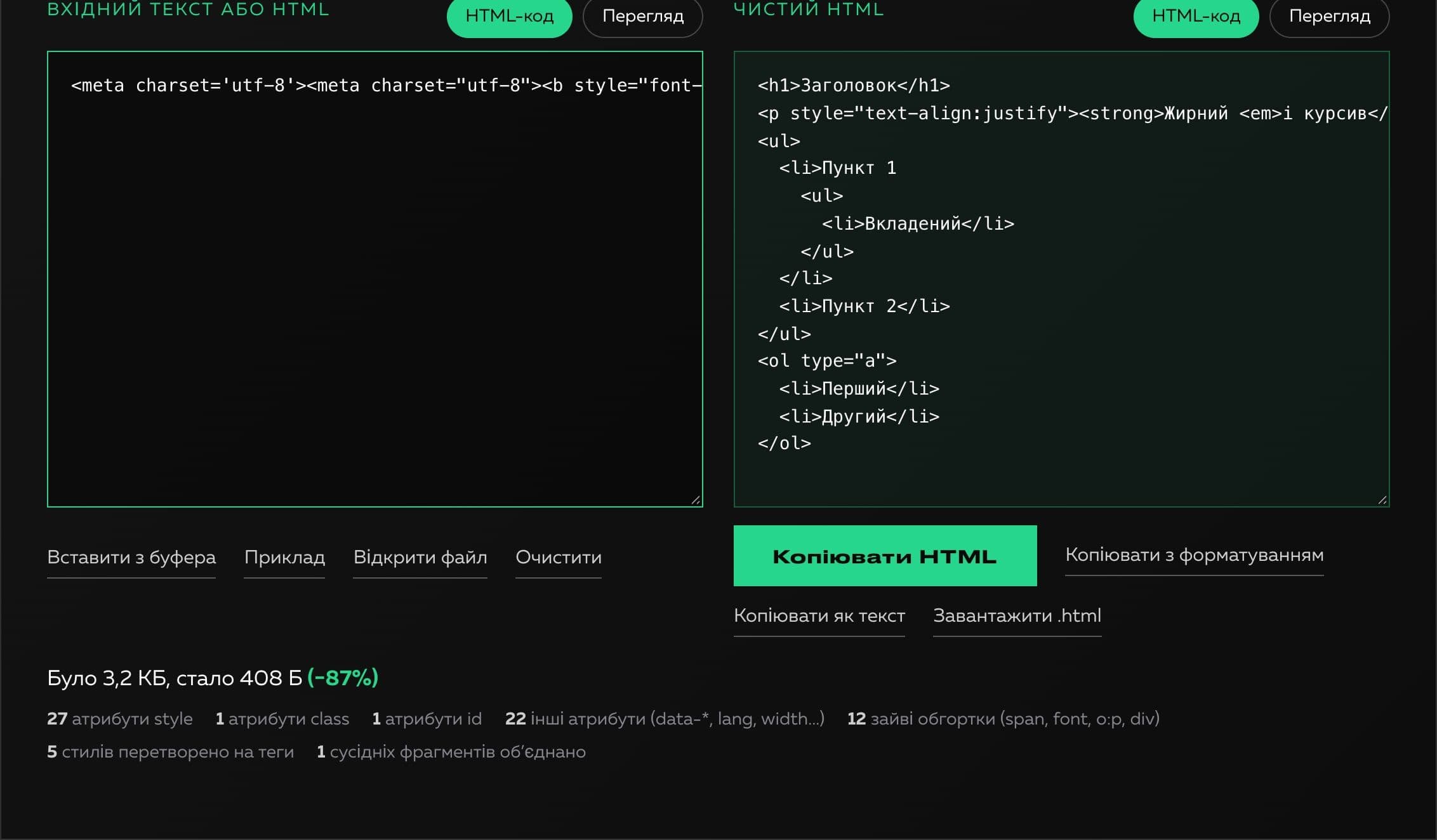
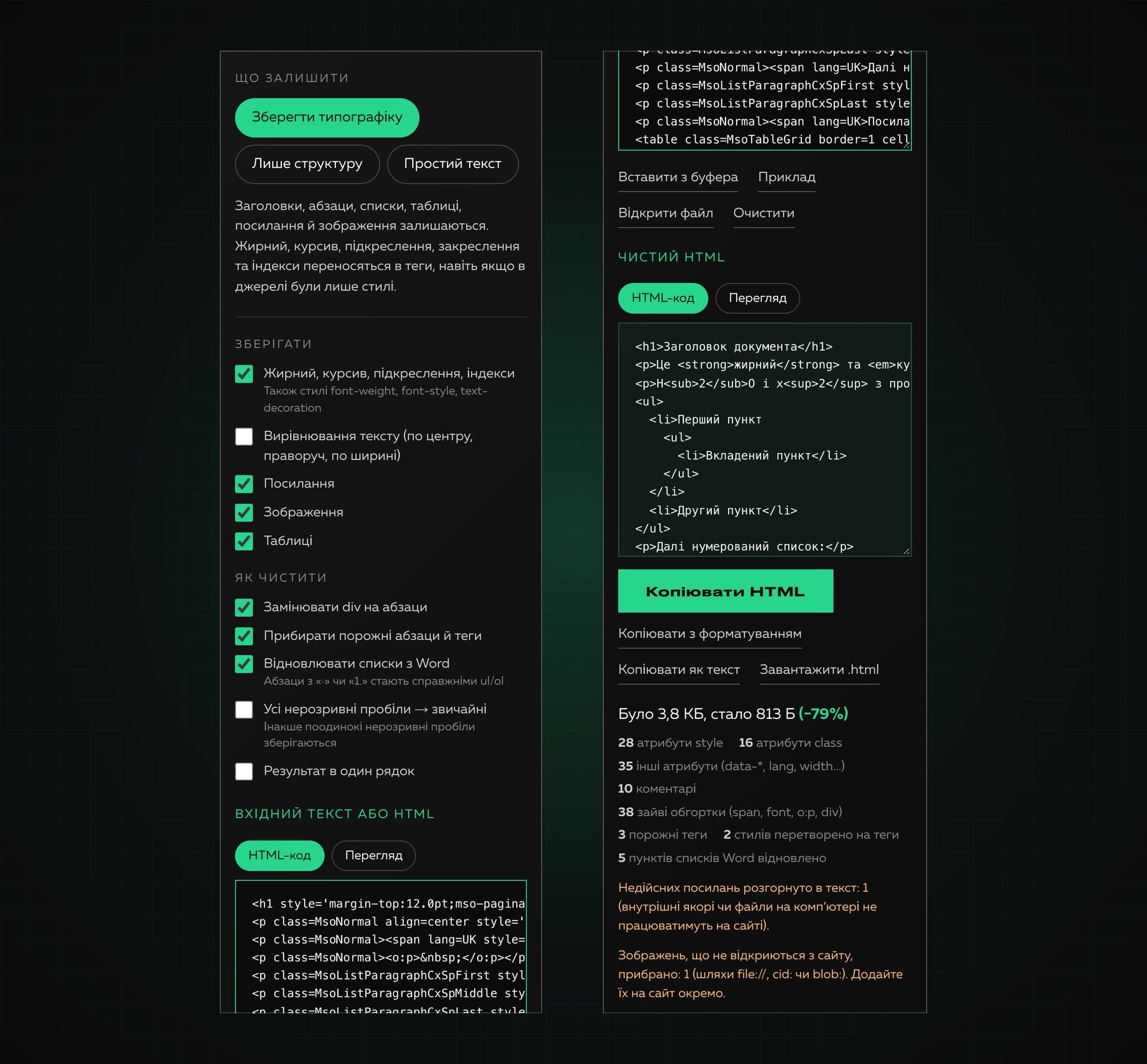
We rewrote the core. The input is parsed as a real document (never run), and clean HTML is built from a whitelist of elements instead of being cut out with regular expressions. Bold, italic, underline, strikethrough and sub/superscripts are carried into tags even when the source had only styles (font-weight:700 becomes strong). The traps of real editors are handled: the b wrapper with font-weight:normal in Google Docs does not make all the text bold, Word lists pasted as paragraphs with “·” or “1.” are rebuilt into nested ul and ol, Google redirect links are unwrapped, internal anchors and file:// images are removed with an explanation, neighboring identical runs are merged and extra spaces vanish. There are three ready sets (typography, structure only, plain text), separate switches, a preview in an isolated frame, copying of HTML, text or formatted content and a file download.
The interface was fully redesigned to match the Creomatix site. We ran 147 logic checks on real pastes from Word, Google Docs and websites (including idempotency: cleaning again changes nothing), a set of hostile inputs (scripts, event handlers, javascript: links, iframes, forms) and 37 end-to-end checks in Chrome. A typical 3.8 KB Word document becomes 813 B (−79%), and a 1.1 MB input is processed in a third of a second.

Technologies
- Next.js
- React
- TypeScript
- SCSS Modules
- DOMParser and an own markup tree with a whitelist
- Clipboard API (HTML and text)
- Strapi (product page content)
What we built
- Parsing the content as a document and building clean HTML from a whitelist of elements
- Keeping headings, paragraphs, nested lists, tables, links, images and quotes
- Bold, italic, underline, strikethrough and sub/superscripts from tags and from styles
- Rebuilding Word lists that paste as paragraphs
- Understanding Google Docs traps (the b wrapper, redirect links)
- Three ready sets and separate switches: alignment, links, images, tables, empty paragraphs, non-breaking spaces
- Formatted output with indents or in one line
- Previewing the result in an isolated frame and copying with formatting
- Protection from scripts, event handlers and dangerous links
- Limits: 5,000,000 characters and a file up to 5 MB
- Processing entirely in the browser and interface versions in Ukrainian and English
What the client got
As a result there is a tool that really cleans markup without spoiling the content: it shows what was removed, how much smaller the code became and which links or images will not work on a website. It works without signing up and entirely in the browser and became the sixth product in the “Products” section of our site.