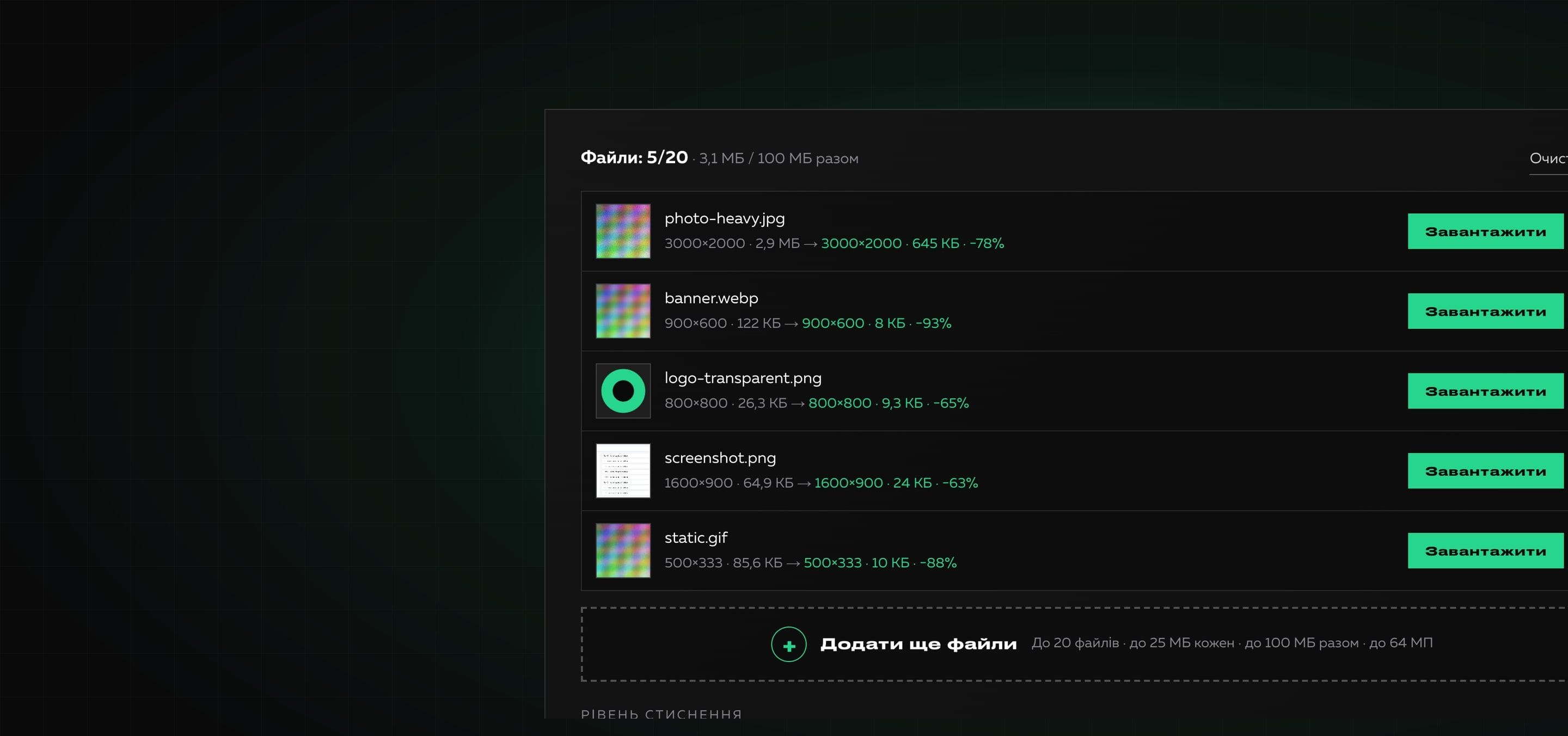
Image Compressor
Image Compressor is a Creomatix product: an online tool that reduces the weight of JPG, PNG and WebP while keeping the format. All processing happens in the browser, so files are not sent anywhere. You can try it on the Image Compressor page, and we write about optimizing images for a website in the blog.
What was done?
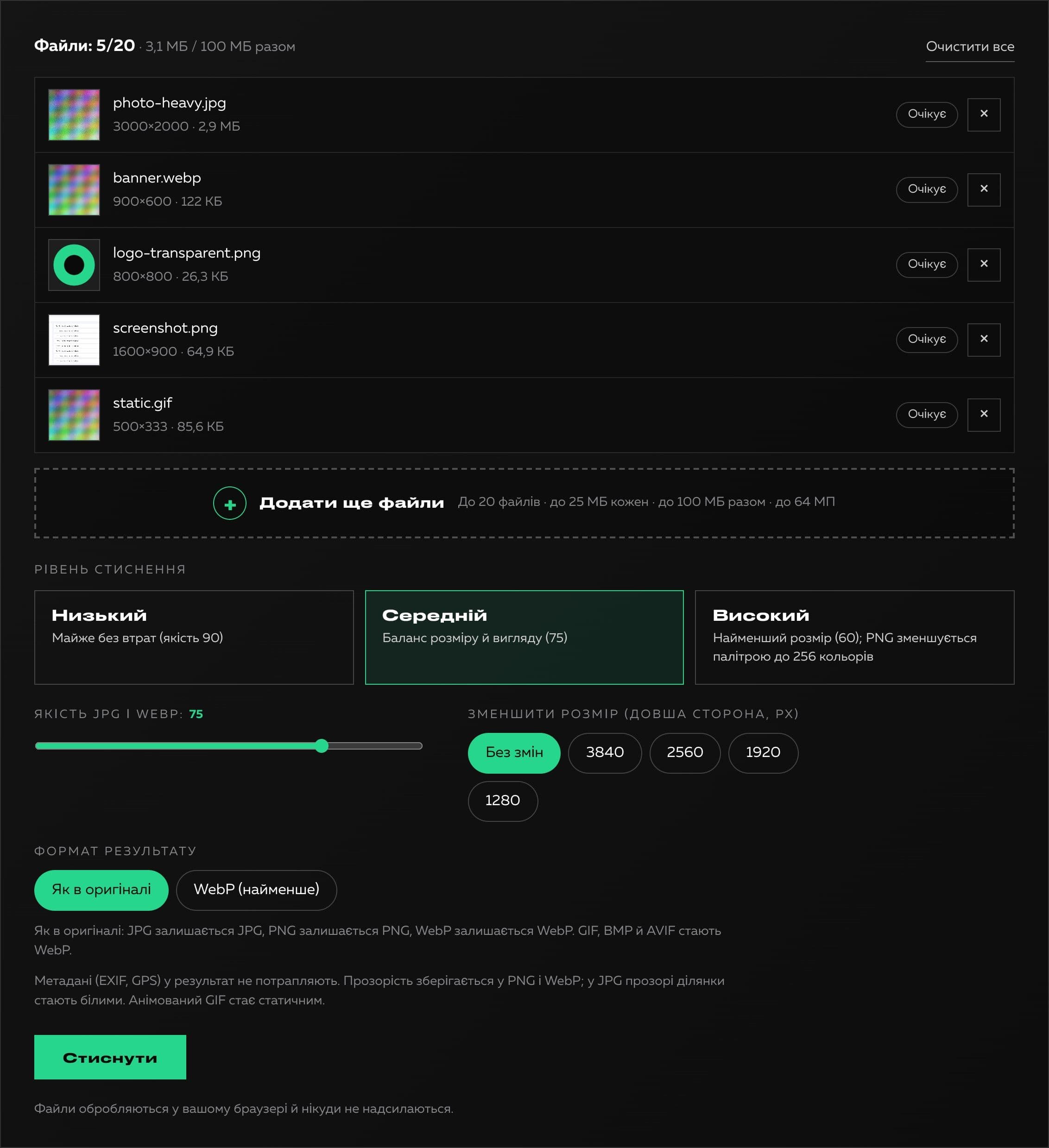
An interface mockup was the starting point, and the very first check showed the main thing: the compression in it was a simulation. The “compress” function waited a random number of seconds, drew progress and invented a “compressed” size as a random percentage of the original, while the Download button returned the same original file with a “compressed-” prefix. In other words, no image was actually compressed. We also found that “Download all” launched a dozen downloads in a row, which browsers block; choosing files through the dialog accepted any files (the filter worked only for drag and drop); the drop area was not reachable from the keyboard; after the settings changed, already processed files were not compressed again; there were no limits at all, and resizing an image did not exist.
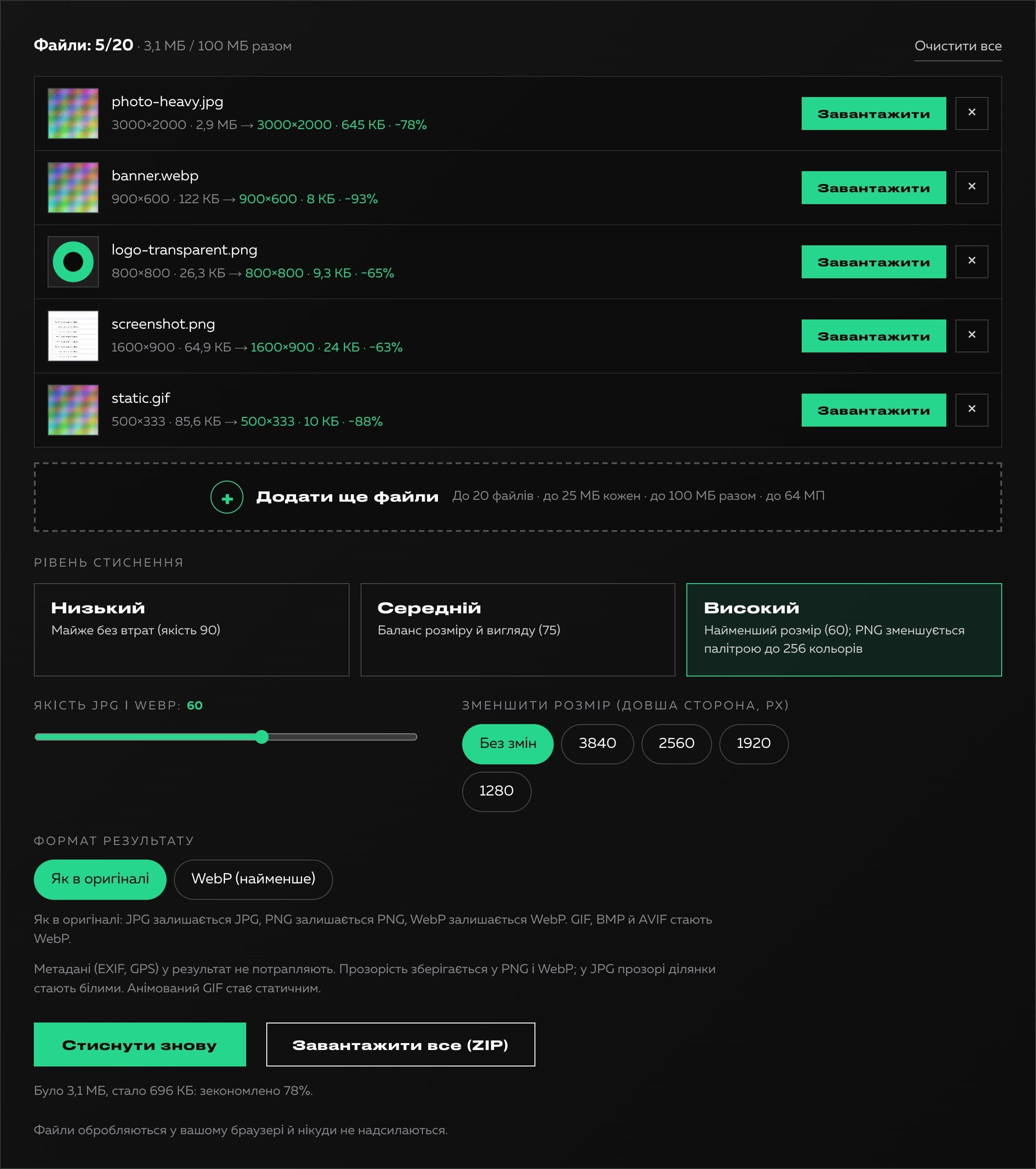
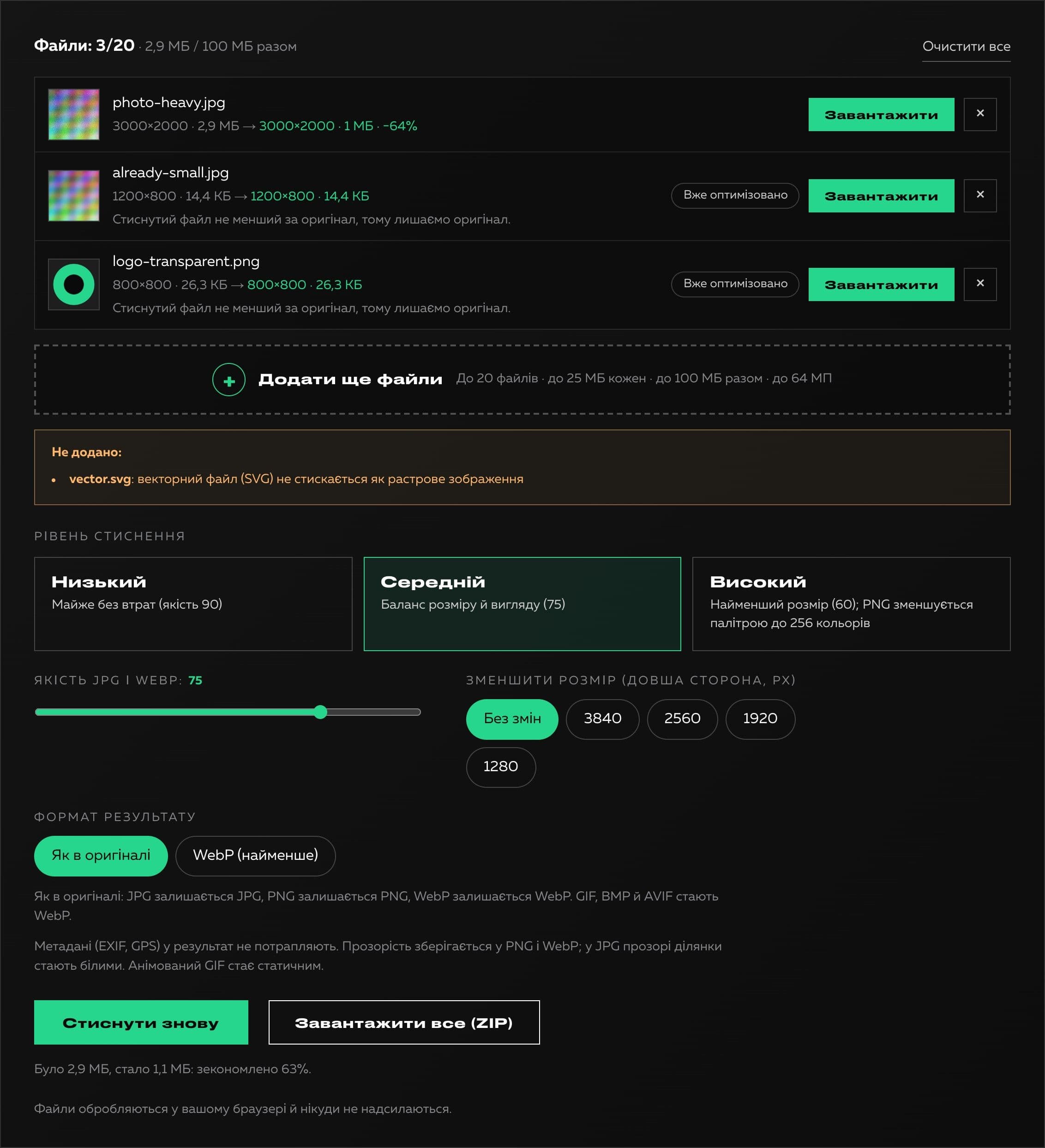
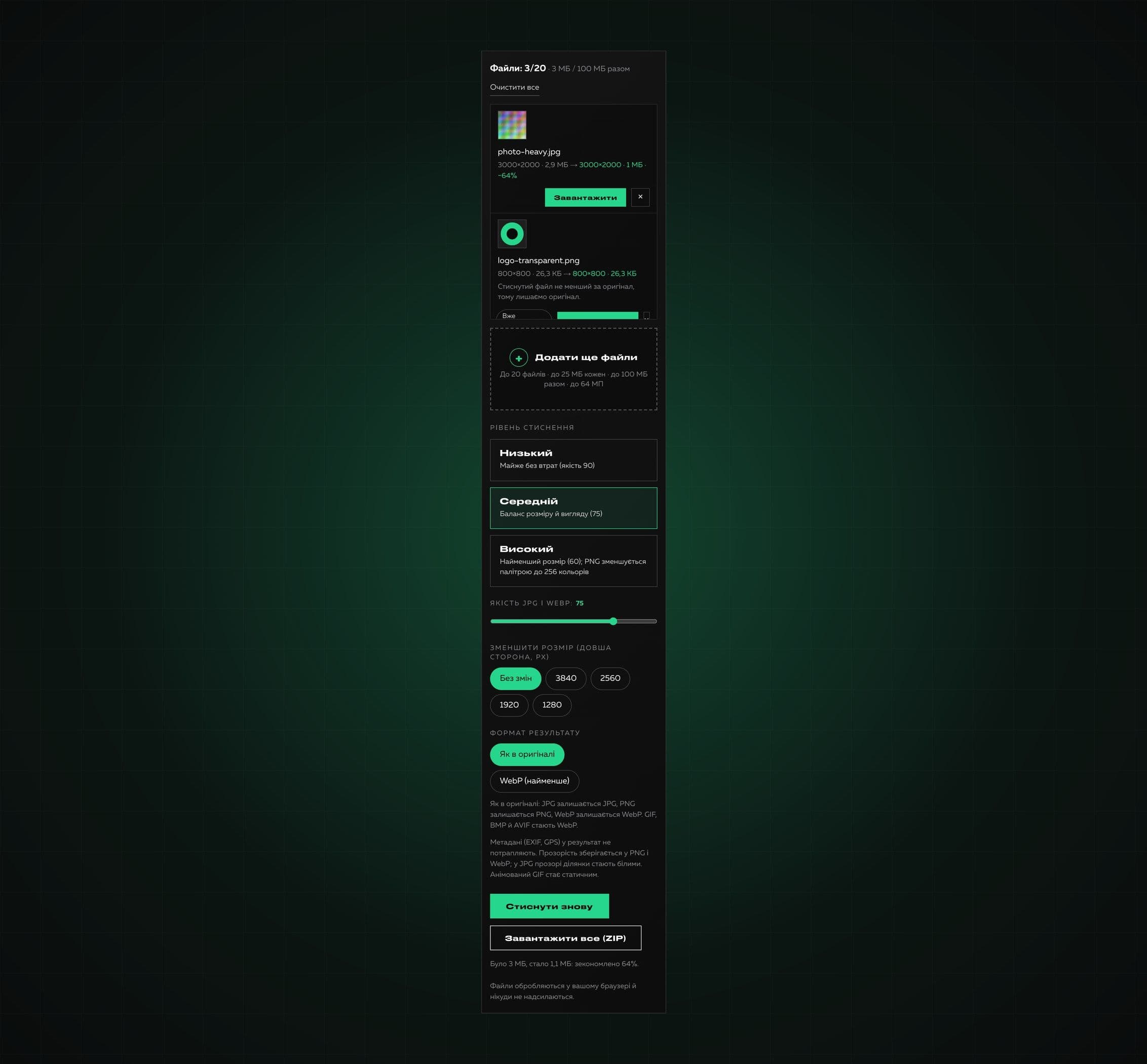
We wrote real logic. JPG and WebP are re-encoded at the chosen quality, and on the high level PNG is saved with a palette of up to 256 colors: our own encoder handles semi-transparent logo edges and soft shadows, turns dithering on only where banding would otherwise be visible and keeps flat colors exact. We added a rule that stops it from making things worse: if the result is not smaller than the original, the original is returned with an “Already optimized” label (except when the user asked for a smaller size). Reducing the longer side, a WebP choice, batch processing, a ZIP with unique names and limits (up to 20 files, 25 MB each, 100 MB in total, 64 MP) appeared. SVG and HEIC are refused with an explanation.
The interface was fully redone in the Creomatix site design. End-to-end tests in Chrome on real files gave these results: a detailed photo of 2.99 MB became 1.08 MB, a logo with transparency of 26.9 KB became 9.5 KB with exact colors, an interface screenshot of 66.5 KB became 24.6 KB, a soft shadow of 33 KB became 7.5 KB, and an already heavily compressed JPG was left untouched and the tool honestly said so.

Technologies
- Next.js
- React
- TypeScript
- SCSS Modules
- Canvas API
- Own palette PNG encoder (median cut, dithering)
- Own ZIP writer without libraries
- Strapi (product page content)
What we built
- Real compression of JPG, PNG and WebP keeping the format
- Three levels and a quality slider
- PNG: a palette of up to 256 colors keeping transparency (semi-transparent edges and shadows) with smart dithering
- The “never make it bigger” rule: if not smaller, the original is returned
- Reducing the longer side (3840, 2560, 1920, 1280) and a WebP choice
- Batch processing of up to 20 files and a ZIP with unique names
- Limits: 25 MB per file, 100 MB in total, 64 MP per image
- Clear explanations for refused files (SVG, HEIC) and errors
- Processing entirely in the browser, metadata is not kept
- Keyboard access and Ukrainian and English interface versions
What the client got
The result is a tool that really compresses and always honestly shows the outcome: what shrank, by how much and what was already optimized. It works without sign-up and entirely in the browser and became the fifth product in the Products section of our site.