Images · Free
Image Compressor
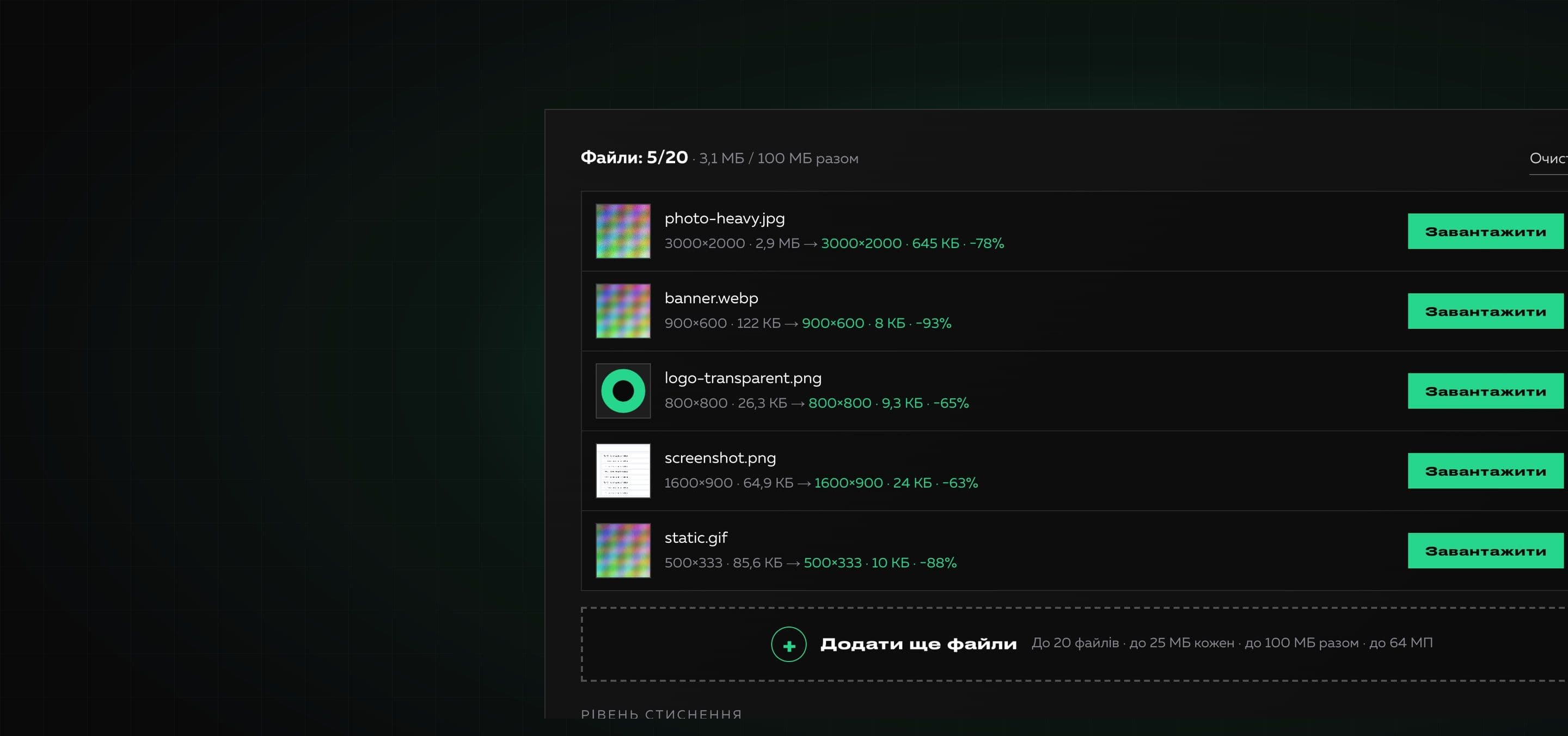
A free online tool that reduces the weight of images. Add files, choose a compression level, reduce the size if needed and download the result separately or as one ZIP. Everything happens in your browser.
Files are processed in your browser and are not sent anywhere.
Heavy images slow websites down, clog email and do not pass forms with a size limit. The tool re-encodes files at the chosen quality while keeping the format and shows how much space is saved.
We do not promise miracles where there are none: if the compressed file is not smaller than the original, you get the original with an “Already optimized” label. PNG has a palette mode that greatly shrinks graphics and screenshots, and for photos it is better to choose JPG or WebP.
Why it is useful
- 01
Real compression
JPG and WebP are re-encoded at the chosen quality, and PNG shrinks through a palette of up to 256 colors on the high level. The result is real, not a simulation.
- 02
Never makes a file bigger
If the compressed version is not smaller than the original, the tool keeps the original and says so plainly.
- 03
Resizing
You can limit the longer side (3840, 2560, 1920 or 1280 px): for websites and emails this often gives the biggest gain.
- 04
Batch processing and ZIP
Add up to 20 files, compress them with one click and download them all as an archive with unique names.
- 05
Files never leave the browser
Processing runs on your device. Metadata such as EXIF and GPS is not carried into the result.
How to use it
- 01
Add files
Drop images into the area or choose them in a dialog. The limits are shown under the area.
- 02
Choose a level
Pick a compression level and, if needed, change the quality, limit the longer side or choose WebP.
- 03
Compress and download
Press “Compress”, then download each file separately or all of them as one ZIP.
Where it helps
Photos for a website and a blog
Lighter images speed up page loading and improve speed metrics.
Email and messenger attachments
Reduce a photo so it fits the limit of a mailbox or a form.
Screenshots and logos
The high level for PNG shrinks graphics with flat areas severalfold.
A photo archive
Compress many shots at once to save space in the cloud or on a disk.
A product catalog
Bring all images to the same size and an acceptable weight in one pass.
How we built it
Read on the blog
Frequently asked questions
Is the tool free?
Yes. You can use it without payment and without signing up.
How is compression different from the image converter?
The converter changes the file format, while compression reduces the weight and keeps the format (JPG stays JPG). If you wish, the result can be saved as WebP right away.
Will the quality get worse?
JPG and WebP are compressed with loss: the higher the level, the smaller the file and the bigger the difference. The “Low” level is almost invisible to the eye and “High” gives the smallest size. Compare the result with your own image.
Why did the file not get smaller?
If an image is already optimized, re-encoding can give a file that is not smaller. In that case you get the original with an “Already optimized” label.
What does the palette for PNG mean?
On the high level a PNG without semi-transparency is saved with a palette of up to 256 colors. For graphics and screenshots this sharply reduces the weight, and for photographs it is better to choose JPG or WebP.
What are the limits?
Up to 20 files, up to 25 MB each, up to 100 MB in total, an image up to 64 megapixels. Processing runs on your device, so the limits keep the tab from freezing.
What about an animated GIF and metadata?
An animated GIF becomes a still image and metadata (EXIF, GPS) is not kept. SVG and HEIC are not compressed by the tool.
Need your own tool for your team?
We build useful online tools and internal services: from idea and design to launch. Tell us what routine is worth removing.