Text tools · Free
Text from Images (OCR)
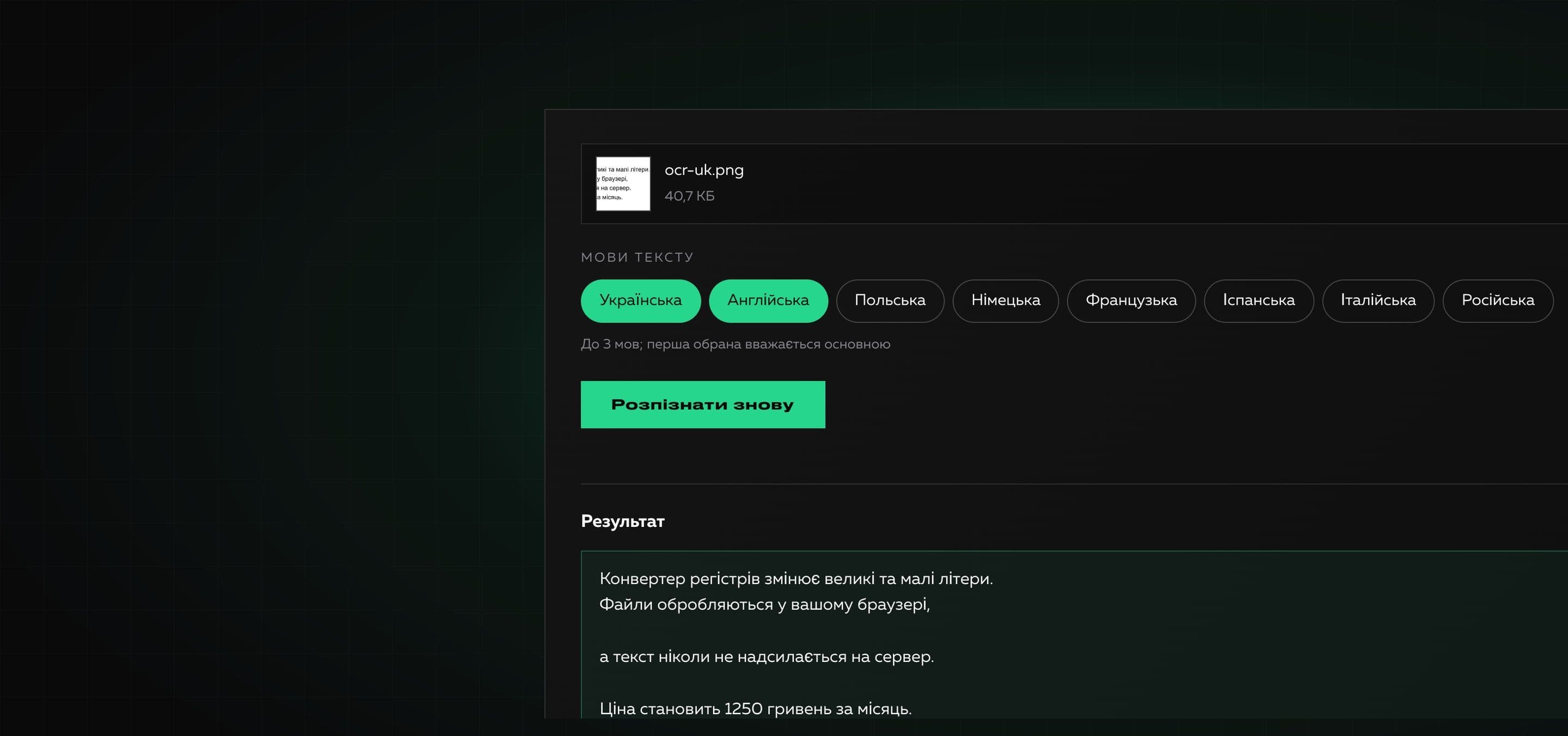
A free online tool for recognizing text in images and PDFs. Add a file or paste a screenshot, choose the languages and get text you can copy or download. Everything happens in your browser.
Files are processed in your browser and are not sent anywhere. The recognition module and language models are also served by our site: no third-party services are used.
Text in a photo, a screenshot or a scanned document cannot be selected and copied. Text recognition (OCR) turns such images into ordinary text that you can edit, search and translate.
The tool runs the open Tesseract engine right in your browser. Files are not sent anywhere, and the engine and the language models are served by our own site, so no third-party services are involved. For PDFs the tool first checks the text layer: if there is one, the text is taken exactly and without recognition, and scans are recognized page by page.
Why it is useful
- 01
Files never leave the browser
Recognition runs on your device. Neither files nor language models are loaded from third-party services: our site serves everything.
- 02
Ukrainian and 7 more languages
Ukrainian, English, Polish, German, French, Spanish, Italian and Russian. You can pick up to three languages at once for mixed texts.
- 03
Images and PDF
Photos, screenshots (even via Ctrl+V) and PDFs. If a PDF has a text layer the text is taken exactly; scans are recognized page by page.
- 04
Honest progress and a quality estimate
You see the stage and the percentage, can cancel, and afterwards get a confidence value with advice on whether to double-check the text.
- 05
A convenient result
Copy, download as .txt and join lines into paragraphs: line breaks and words split by a hyphen are removed.
How to use it
- 01
Add a file
Choose an image or a PDF, drop it into the area or paste a screenshot with Ctrl+V.
- 02
Choose languages
Mark the languages of the text (up to three). For Ukrainian documents with English words choose both.
- 03
Recognize and take the text
Press “Recognize text”, then copy the result or download it as a .txt file.
Where it helps
A screenshot or a photo of a document
Pull text from a screenshot, a photo of a page or a slide instead of retyping it by hand.
A scanned contract or a PDF without text
Get the text of a scan to edit it, find the right place or paste it into another document.
Quotes from books and articles
Photograph a paragraph and copy its text into notes or a paper.
Text for translation
Take a caption from an image or an interface to send it to a translator.
Receipts, business cards and signs
Quickly move data into a spreadsheet. Always check numbers and names by hand.
How we built it
Read on the blog
Frequently asked questions
Is the tool free?
Yes. You can use it without payment and without signing up.
Are my files uploaded to a server?
No. Recognition runs in your browser. The engine and the language models are loaded from our site, not from third-party services, so your files appear nowhere.
Why is the first recognition slower?
On the first run the browser downloads the recognition module and the language models (a few megabytes). They are then cached and later runs start faster.
How can I improve accuracy?
Use a sharp image with straight text and good contrast, without tilt or glare. Small print is better enlarged. Be sure to choose the right languages: a wrong language spoils the result badly.
Does the tool recognize handwriting?
No. It is meant for printed text. Handwriting is recognized poorly.
What are the limits?
A file up to 25 MB, an image up to 64 megapixels and the first 10 pages of a PDF. The limits keep the tab from freezing because processing runs on your device.
What happens to a PDF that already has text?
For such pages the text is taken from the text layer without recognition: it is faster and more accurate. Pages that are pictures are recognized like ordinary images.
Need your own tool for your team?
We build useful online tools and internal services: from idea and design to launch. Tell us what routine is worth removing.