Text tools · Free
Letter Case Converter
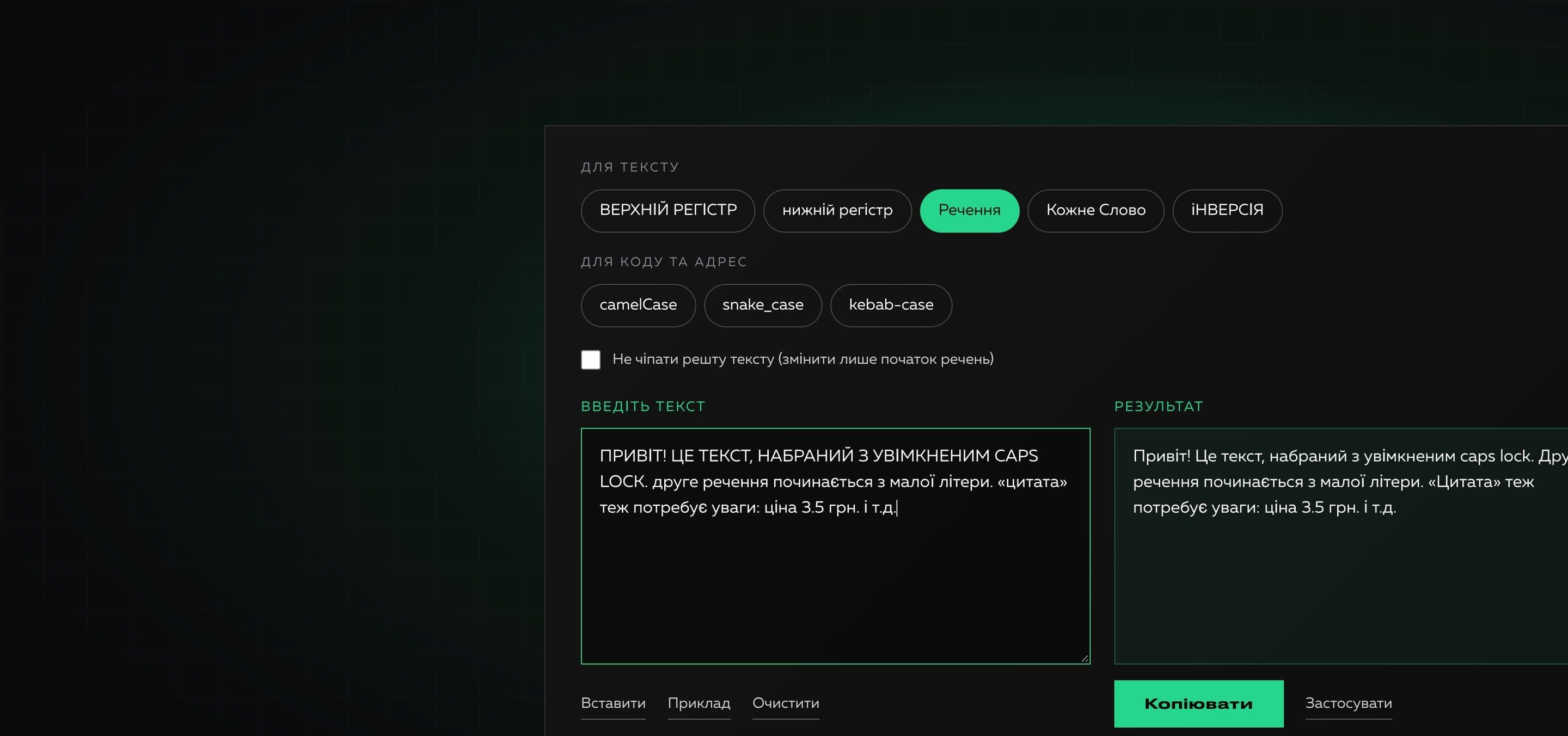
A free online tool for changing the case of text. Paste your text, choose a format and copy the result: everything happens in your browser and the text is never sent anywhere.
For text
For code and URLs
0 characters · 0 words · 0 lines
Ever typed a long paragraph with Caps Lock on, or needed to bring headlines to one style? Retyping by hand is slow and easy to get wrong. The letter case converter does it in a second.
The tool does what an editor, a marketer and a developer all need: it changes the case of the whole text, puts capital letters at the start of sentences and lines, capitalizes every word and turns phrases into variable names and page addresses. It handles Ukrainian letters, apostrophes and guillemet quotes correctly.
Why it is useful
- 01
Instant and no sign-up
The result appears as you type. No account, email or installation needed.
- 02
Careful with Ukrainian
Handles “ї”, “є”, “ґ”, the apostrophe and «guillemet» quotes properly, as well as English text.
- 03
Smart sentence case
Takes into account the start of each line, quotes and brackets, ellipses, abbreviations (“e.g.”, “etc.”) and decimal numbers.
- 04
Modes for code and URLs
camelCase, snake_case and kebab-case help you quickly create variable names, file names and URLs.
- 05
Private by default
Everything is computed in your browser. The text is not sent to a server and not stored.
How to use it
- 01
Paste your text
Type or paste text into the left field. The “Paste” button takes it from the clipboard.
- 02
Choose a format
Pick a mode: upper, lower, sentence, title, inverted or a code format.
- 03
Copy the result
Press “Copy” or “Use as input” to keep working with the changed text.
Where it helps
Text typed with Caps Lock on
Restore a normal look to paragraphs in one click instead of retyping.
Headlines and product names
The “Title Case” mode brings card names, sections and slides to one style.
Text from different sources
Unify case in descriptions, messages and spreadsheets before publishing or importing.
Variable and file names
Turn a phrase into camelCase, snake_case or kebab-case for code, APIs and page addresses.
Meta descriptions and captions
Quickly bring SEO text and captions to one format with capitals at the start of sentences.
How we built it
Read on the blog
Frequently asked questions
Is the tool free?
Yes. You can use the converter without payment and without signing up, as many times as you like.
Is my text stored?
No. Conversion runs directly in your browser: the text is not sent to a server and not stored anywhere.
How is “Sentence” different from “Title Case”?
In “Sentence” mode only the first word of the text, of each sentence and of each line is capitalized. In “Title Case” mode every word starts with a capital letter.
Why did proper names become lower case in “Sentence” mode?
By default the text is first turned to lower case. Turn on “Keep the rest of the text as is”: then only the start of sentences changes and names and abbreviations stay untouched.
Can I order a tool like this for my business?
Yes, we build online tools and internal services for teams. Write to us and we will propose a format and approximate timelines.
Need your own tool for your team?
We build useful online tools and internal services: from idea and design to launch. Tell us what routine is worth removing.