Text tools · Free
Recognize Ukrainian Text from a Photo Online
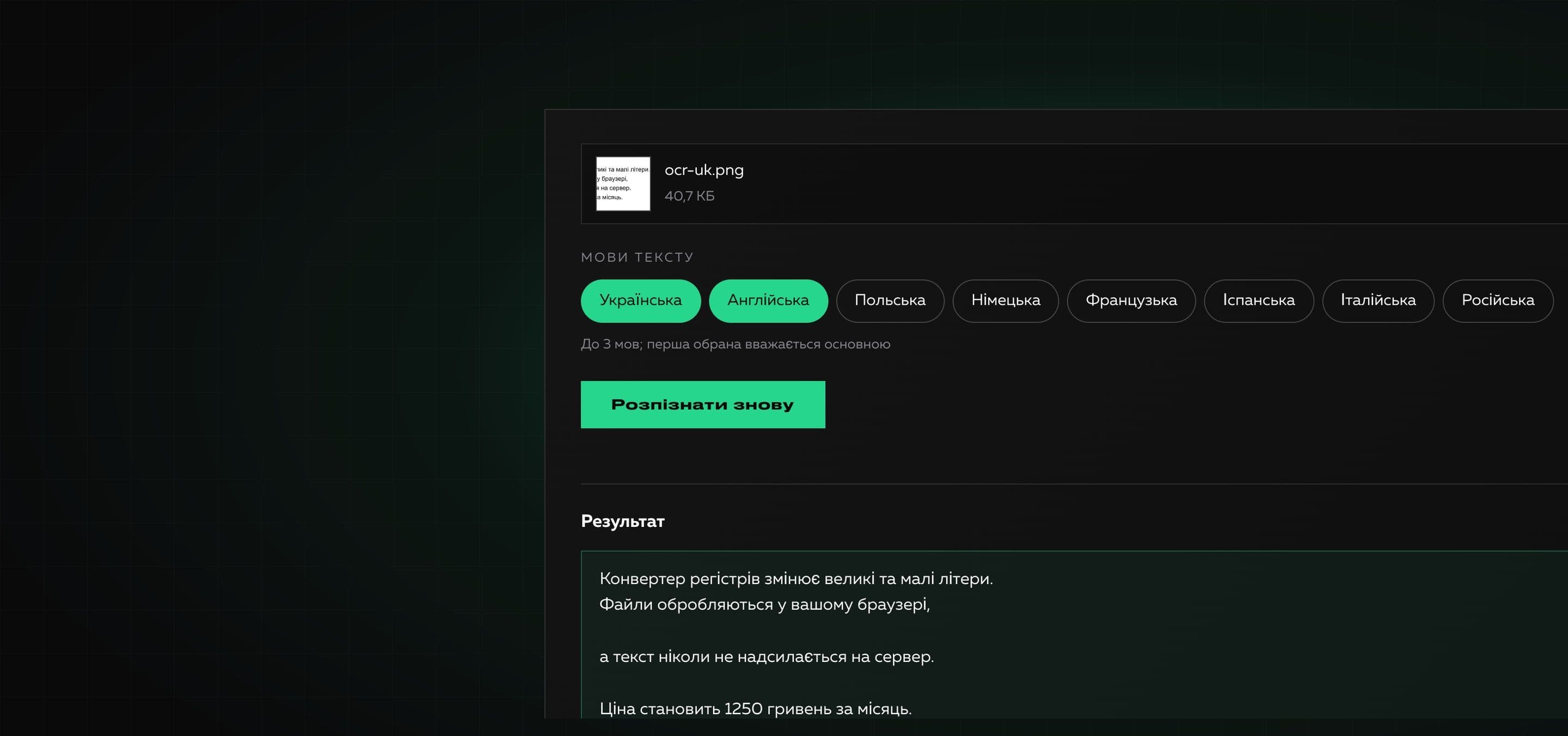
OCR for Ukrainian text: handles the letters “ї”, “є”, “ґ”, the apostrophe and mixed Ukrainian and English text.
Files are processed in your browser and are not sent anywhere. The recognition module and language models are also served by our site: no third-party services are used.
Many recognition services handle Ukrainian poorly: they confuse “і” and “ї” and lose “ґ” and the apostrophe. Here the language is already selected: Ukrainian is the main one and English is added for Latin words and abbreviations that often appear in documents.
Add a photo, scan or PDF and press “Recognize”. A clear image of printed text gives the best result. If the document has other languages, for example Polish, you can add up to three.
Popular scenarios
The same tool, set up for a specific task:
Why it is useful
- 01
Ukrainian by default
The main language is already selected, so there is nothing to set up: add a file and recognize.
- 02
Mixed texts
Ukrainian documents with English terms, names and codes are recognized together.
- 03
Data stays with you
Passport data, contracts and invoices never leave your device.
How we built it
Read on the blog
Frequently asked questions
Are “ї”, “є”, “ґ” recognized correctly?
Yes, the Ukrainian language model is used. Accuracy depends on image quality: clear scans and level photos without glare work best.
Can I recognize Russian or Polish together with Ukrainian?
You can choose up to three languages at once. The first chosen is the main one. More languages mean slower recognition.
Is a scan in PDF supported?
Yes, the first 10 pages are processed. If the PDF already has a text layer, the text is taken directly, which is faster and more accurate.
Why does the text contain errors?
Most often because of a blurry scan, small font or tilt. Enlarge the image, straighten it and check that the languages are chosen correctly.
Are my files uploaded to a server?
No. Everything runs in your browser; files are not uploaded or stored anywhere.
Need your own tool for your team?
We build useful online tools and internal services: from idea and design to launch. Tell us what routine is worth removing.